
Kelly is coming soon
Your work schedule.A little more settled.
Turn a schedule photo into a calendar you can check. Review your shifts, save them, and set your reminders.
Launching first in the Philippines, for iPhone and Android. Start with two free photo imports.
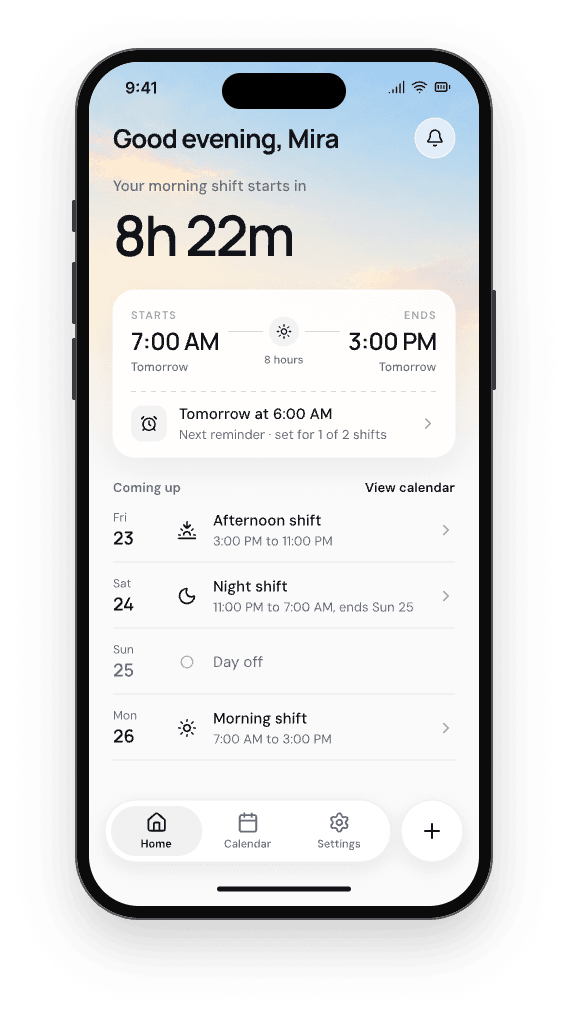
From photo to your calendar
One photo.
Your shifts, checked by you.
- 01
Add your schedule
Choose a photo and find your name. Crop out anything Kelly does not need.
- 02
Check the details
Review dates and times before anything is added to your calendar.
- 03
Make it your day
See what is next, add a shift yourself, and choose when to be reminded.
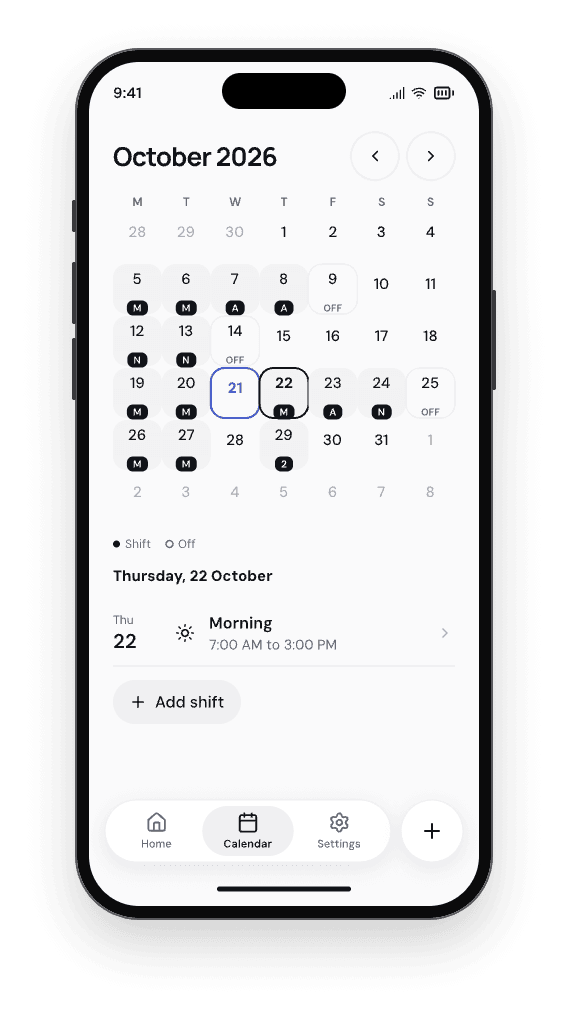
A calendar that follows your shifts
Early starts. Late finishes.
All in the right place.
Keep overnight shifts, days off, and changes together. Your saved calendar stays available when you are offline.
How updated schedules workA little notice
before it is time to go.
Choose reminders that suit your shifts. Kelly shows when notifications are off, so you can check your phone settings.
Reminder timing depends on your phone and its settings.

Kelly, at your pace
Start with what you need.
Free
A useful calendar from day one.
- Two successful photo imports
- Manual shifts and your saved calendar
- Basic shift reminders
Kelly Pro
More imports and more ways to see your week.
- 20 photo imports each month
- Hours worked this month
- Extra reminders before a shift
- Your shifts in your phone calendar
- Home Screen widgets for your next shift and week
Monthly or yearly, with the price shown in the app before you pay. Your saved shifts, manual edits, and basic reminders stay available when Pro ends.
A few things to know.
- When can I get Kelly?
- We're finishing the first release for iPhone and Android, starting in the Philippines. Join the waitlist and we'll email you when it's ready.
- Does Kelly add shifts without checking with me?
- No. You review the dates and times before saving.
- Can I add shifts without a photo?
- Yes. Add and edit shifts yourself whenever you need to.
- Can I use Kelly offline?
- Your saved calendar and manual shifts work offline. Reading a new photo needs a connection.
- What happens to my schedule photo?
- Photos are processed privately. Read how photos, account backups, and deletion work in Privacy.